Client context gets lost after the proposal
Briefs, interactions and decisions are often kept in separate CRM, email and project tools.

Bring client interactions, proposals, project requirements, design tasks, documents, team effort and payment context into one workspace so commissions do not lose information as they move from winning work to delivery.
Briefs, interactions and decisions are often kept in separate CRM, email and project tools.
Multiple disciplines, revisions and dependencies create visibility gaps.
Hours are often reviewed after the fact instead of in the delivery context.
Documents and project status must be manually gathered for client updates.
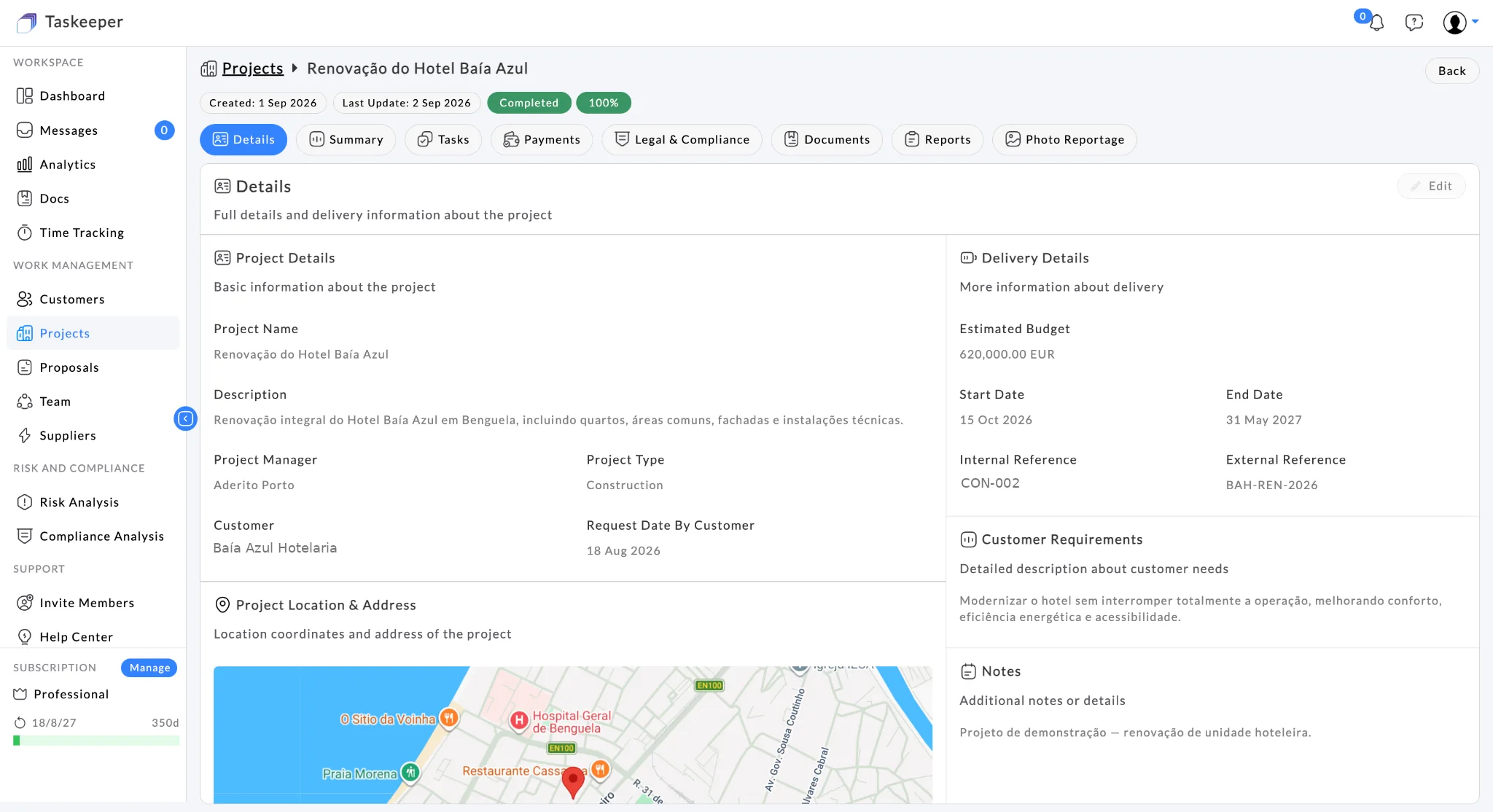
Project details, requirements, dates and project ownership remain accessible as the commission moves into delivery.
Project details, requirements, dates and project ownership remain accessible as the commission moves into delivery.
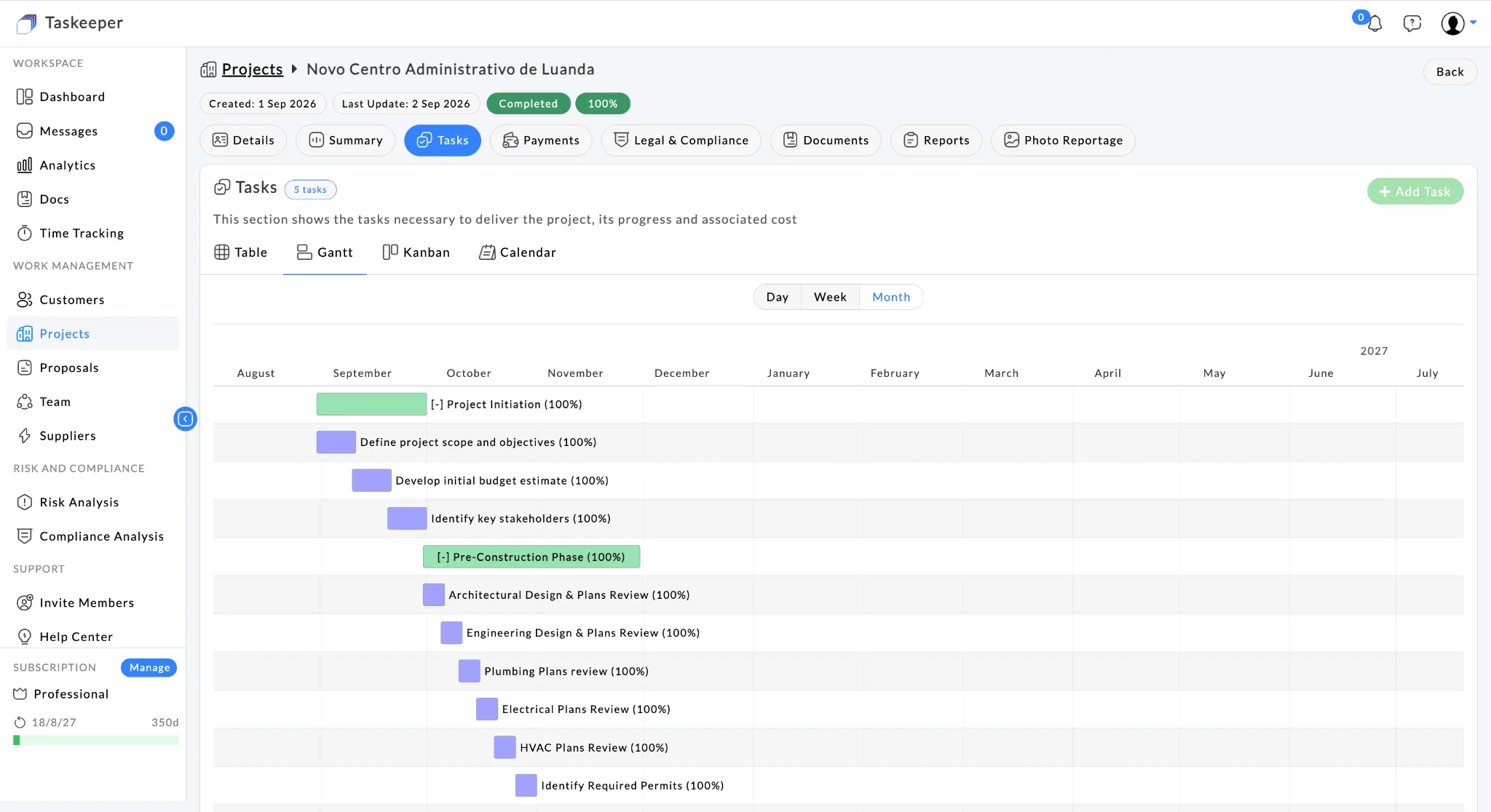
A Gantt view helps architecture teams sequence work across the project timeline.
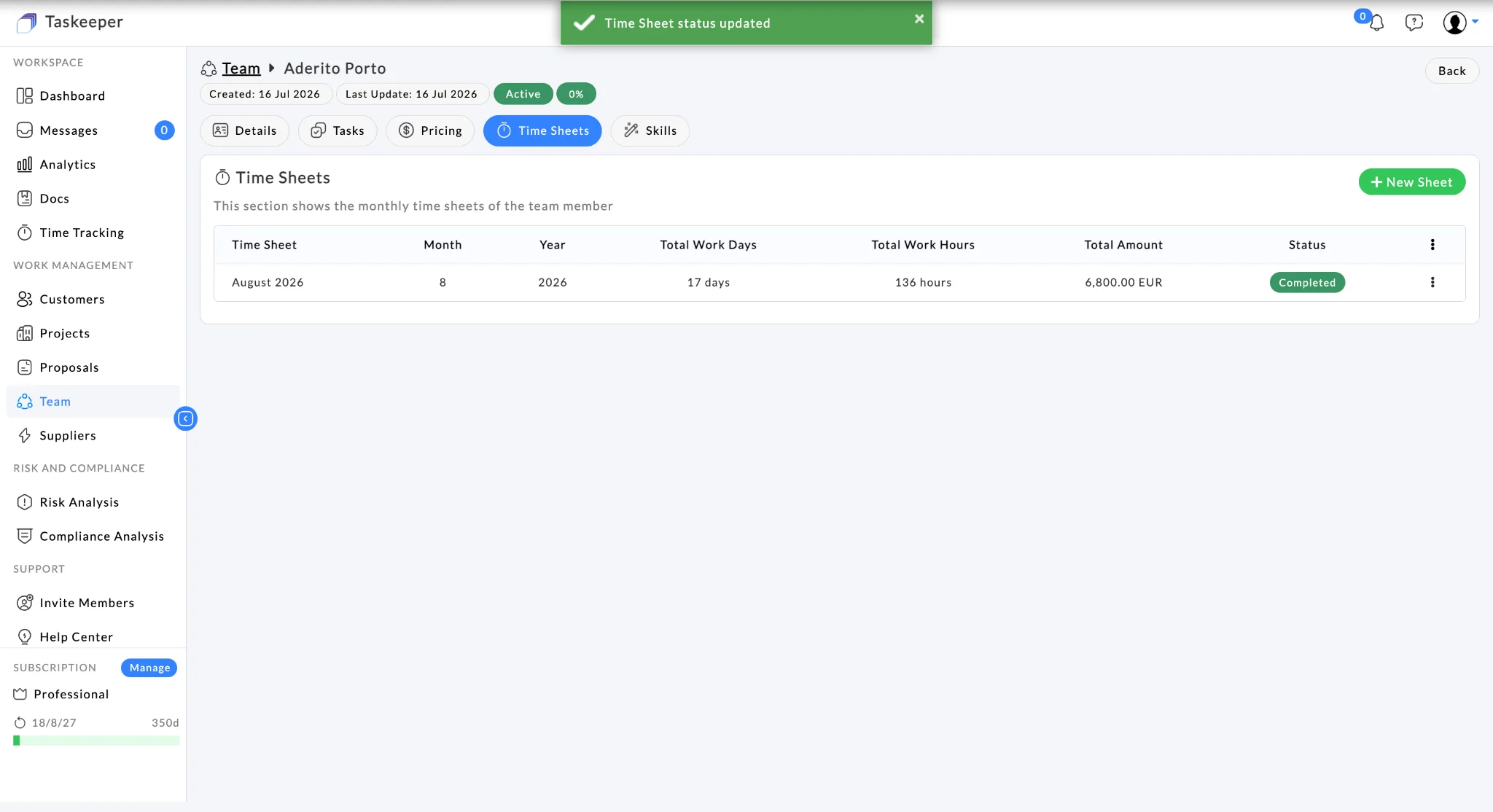
Time-sheet visibility supports a clearer view of how team effort is being consumed.
An 18-person architecture practice manages a mix of feasibility, planning and detailed-design commissions. The partners want the client brief, proposal, project requirements, design tasks, documents, team time and commercial position to remain connected from first conversation to final delivery.
The problem is not a lack of software. It is that the operating picture is fragmented across too many places.
The same customer, project, people, commercial and governance context can support decisions from planning through delivery and closeout.
Taskeeper is designed so each capability becomes more useful when it shares customer, project, people and commercial context with the rest of the workflow.
Keep individual and organisation customer context accessible.
Maintain commercial scope before the commission becomes a project.
Capture customer requirements, delivery dates and project context.
Coordinate design work and keep evidence with the project.
Connect resource assignments and time sheets to commissions.
Keep project budget and payment context visible during delivery.
Create a customer budget assessment quickly, keep every revision in Taskeeper, respond to feedback and — when the proposal is accepted — turn it directly into a live project instead of recre
→Taskeeper supports distinct user profiles for company administration, project delivery, operational team members, clients and suppliers. Client access can be configured so customers follow a
→Communicate with colleagues, project teams and authorised clients inside the same operational workspace where the work is managed — reducing the need to scatter project context across person
→Capture progress evidence from the exact project or task and keep it organised with the work. Taskeeper stores the project/task context, uploader, timestamp, tags and description so visual r
→Taskeeper is designed to fit into an existing technology landscape rather than creating another data island. Standard onboarding can start with import/export templates, while ongoing integration can use APIs or CSV-based exchange.
Download the Taskeeper Excel import/export template, populate it with your existing customer, project, resource or other supported data, then import it back into Taskeeper.
Use Taskeeper APIs for system-to-system integration, or consume and produce CSV files where a lightweight data exchange is sufficient. This supports gradual adoption without forcing every surrounding system to change at once.
Role-based permissions, MFA, SSO/SAML, encryption in transit and at rest, audit logging, backups and disaster recovery, security monitoring, vulnerability management, incident response, API security, least-privilege access, data retention/export/deletion controls, GDPR/DPA support and multi-company segregation are part of the launch security model.
Yes. Customer records and interactions can remain connected to proposals and projects instead of becoming a separate commercial silo.
Yes. Resources and time sheets can be used alongside project and task information.
Yes. Project documents and reporting sit within the wider project workspace so delivery evidence remains easier to trace.
Yes. A practice can begin with clients, proposals and projects, then add time, documents, payments, risk and reporting workflows as needed.
Bring one real workflow to a demo and map it to the Taskeeper capabilities that can create value first.